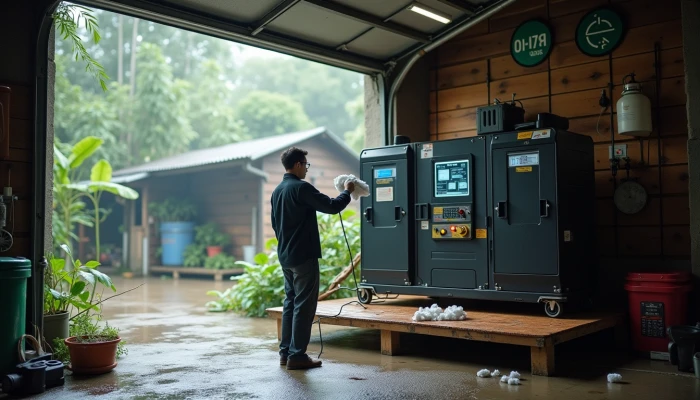
How to Keep a Portable Power Station Reliable in Humid Weather
A portable power station can be a useful part of home energy resilience, especially for short outages, phone charging, medical-device support, or keeping a fridge running for a limited time. But in humid climates, moisture is one of the quieter risks. You may not see obvious damage right away, yet corrosion, condensation, and damp storage conditions can slowly affect ports, terminals, and internal electronics.
The good news is that protecting a unit in humid weather usually does not require extreme measures. In most homes, the biggest gains come from storing it in a drier location, managing moisture around it, and checking exposed connection points on a regular schedule. That approach is practical whether you use a portable power station as occasional outage backup, a small solar generator setup, or part of a broader battery backup for home plan.
This guide focuses on realistic maintenance steps that can help reduce humidity-related wear without overpromising complete protection.
Optimal Storage Practices for Humid Environments
Where you store a power station matters as much as how often you use it. In humid climates, the goal is to reduce long periods of exposure to damp air, condensation, and temperature swings that can leave moisture on or inside the unit.
A dry, well-ventilated indoor space is usually the safest starting point. That often means a closet inside the conditioned part of the home, a shelf in a utility room that stays dry, or another area with stable temperature and humidity. Spaces that seem convenient, like garages, sheds, or basements, can be riskier if they regularly get muggy or develop condensation.
Long-term storage also works better when the battery is not left at a very high or very low charge for months at a time. Manufacturer-style storage guidance commonly recommends storing many units at about half charge, then checking them periodically.
A simple storage checklist can help:
- Choose an indoor location that stays dry year-round.
- Avoid basements, garages, or corners near plumbing if they have a history of dampness.
- Keep the unit off bare concrete floors if moisture is a concern.
- Leave some space around the unit for airflow.
- For longer storage, keep the battery around 50% charge if the manufacturer recommends it.
- Recheck charge level on a schedule instead of letting the unit sit untouched for many months.
If you are not sure whether a spot is suitable, think about signs of hidden moisture. A room that smells musty, shows rust on nearby tools, or feels clammy in summer is probably not ideal for electronics.
This quick comparison can help you judge common storage locations:
| Storage location | Typical humidity risk | Practical note |
|---|---|---|
| Interior closet or conditioned room | Lower | Usually the safest option if airflow is reasonable |
| Dry utility room | Moderate to low | Good if it stays stable and is not near leaks |
| Garage | Moderate to high | Risk rises if temperatures swing or vehicles bring in moisture |
| Basement | High in many homes | Often poor for long-term storage unless actively dehumidified |
| Shed or outdoor structure | High | Usually too exposed for reliable long-term storage |
The main idea is not perfection. It is choosing the driest realistic place in your home and avoiding locations that repeatedly expose the unit to moisture.
Moisture Absorption Techniques
Good storage location choices do most of the work, but moisture control around the unit can add another layer of protection. This is especially helpful in places where indoor humidity rises for part of the year even when the power station is stored inside.
One simple option is silica gel usage. Desiccant packs placed near the unit can help absorb some excess moisture in the immediate storage area. They are not a substitute for a dry room, but they can be useful in a cabinet, storage bin, or carrying case where damp air tends to linger.
If your climate is consistently humid, consider storing the unit in a protective case or sealed container with desiccant packs, as long as the device is fully powered down and the storage setup does not trap heat from recent use. The goal is controlled dryness, not sealing up a warm device that may still be releasing heat.
It also helps to measure the environment instead of guessing. A basic hygrometer can show whether a storage area is staying in a more reasonable humidity range. Guidance often points to aiming for roughly 40% to 60% relative humidity in storage spaces for electronics.
A practical moisture-control sequence looks like this:
- Let the power station cool down fully after use or charging.
- Wipe the exterior dry if it has been exposed to damp air.
- Place it in a dry indoor location.
- Add silica gel packs nearby or in the storage case.
- Check the hygrometer reading from time to time, especially during the most humid months.
- Replace or recharge desiccant packs as needed.
There are also a few common mistakes to avoid:
| Mistake | Why it causes problems | Better approach |
|---|---|---|
| Storing the unit in a damp basement with desiccant packs | The room may overwhelm the desiccant quickly | Move the unit to a drier room first |
| Sealing up the device right after use | Warm equipment can contribute to condensation as temperatures change | Let it cool before storage |
| Using moisture control once and forgetting it | Desiccants lose effectiveness over time | Check and replace packs on a schedule |
| Assuming indoor air is always dry | Many homes get humid seasonally | Verify with a hygrometer |
These steps are modest, but they are often enough to reduce the slow accumulation of moisture-related wear that shortens the life of a backup device.
Terminal and Port Maintenance
Even when the battery cells and electronics are protected inside the enclosure, the exposed connection points still need attention. Ports, plugs, and terminals are often the first places where humidity shows up as corrosion, residue, or unreliable connections.
Regular checks do not need to be complicated. A quick visual inspection every so often can catch early signs of trouble before they turn into charging issues or intermittent output problems. Look for discoloration, dust buildup that may hold moisture, or any visible residue around ports and connection points.
For terminal cleaning practices, keep the approach dry and gentle.
- Unplug the unit and power it down fully before inspection.
- Use a dry, non-abrasive cloth to remove surface dust or moisture.
- Use compressed air carefully to clear debris from ports if needed.
- Make sure all areas are fully dry before reconnecting cables or powering the unit back on.
Avoid liquid cleaners unless the manufacturer specifically allows them. In a humid environment, adding more liquid can increase the chance of moisture getting where it should not. Abrasive tools can also damage contacts or protective coatings.
Condensation risk is worth taking seriously even when the room itself does not seem especially wet. Rapid temperature changes can create moisture inside or around electronics. For example, bringing a cool power station into a warm, humid room may allow condensation to form before you notice it.
A simple inspection routine can help:
- Check ports and terminals during each recharge cycle or at least every few months in storage.
- Inspect after any move between spaces with different temperatures.
- Clean only with dry methods unless manufacturer instructions say otherwise.
- Wait until the unit is fully dry before using it.
If you notice persistent corrosion, recurring moisture inside covers, or unreliable charging and output, it may be time to stop using the unit until it can be evaluated according to manufacturer guidance. Preventive care is useful, but it does not replace safe handling when damage is already visible.
For households relying on a power station for outage support, this kind of maintenance is less about perfection and more about confidence. A clean, dry connection is more likely to work when you need backup power for essentials.
Conclusion
Humidity does not automatically ruin a portable power station, but it does raise the importance of storage and maintenance. Keeping the unit in a dry location, using silica gel or other desiccant support where appropriate, and following basic terminal cleaning practices can reduce the risk of corrosion and moisture-related reliability problems.
The most practical approach is layered rather than complicated. Start with the driest realistic storage spot in your home, monitor conditions if humidity is a recurring issue, and inspect ports and terminals before small issues become bigger ones. For any model you own, the final check should always be the manufacturer's storage and maintenance guidance, since battery chemistry, enclosure design, and charging recommendations can vary.
That kind of routine care will not guarantee complete protection, but it can make a portable power station a more dependable part of your home backup plan in humid weather.