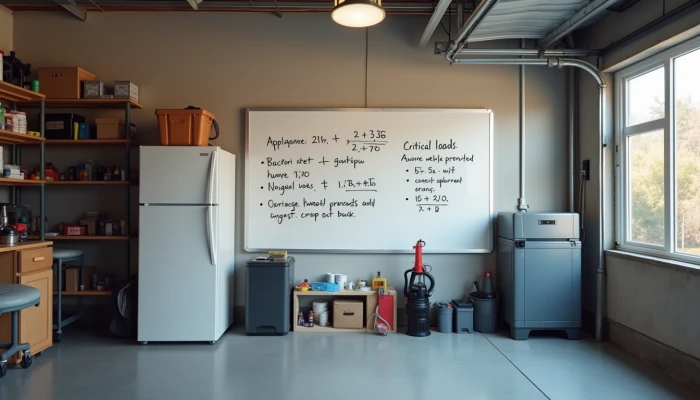
How to Size a Home Backup Battery Without Paying for More Than You Need
A home backup battery can make outages easier to manage, but sizing one is where many households get stuck. Too small, and it may not cover the loads you care about. Too large, and you may pay for capacity you rarely use.
A practical sizing process starts with three questions: how much electricity your important devices use, which loads truly matter during an outage, and how long you want backup power to last. From there, you can adjust for real-world battery limits like usable capacity, power output, and efficiency losses.
This guide walks through that process in a simple order so you can estimate a battery backup for home use without relying on guesswork or one-size-fits-all advice.
Step 1: Calculate Average Power Consumption
Start with your normal electricity use, but do not assume your full household usage is what your backup system needs to cover. The goal is to understand your baseline, then narrow it down.
A good first step is reviewing recent utility bills. Look for total monthly kWh use, then divide by the number of days in the billing period to estimate average daily consumption. This gives you a rough starting point for how energy-intensive your home is overall.
Appliance-level estimates make the next step easier. Common guidance on backup sizing often begins with two numbers: daily energy use in kilowatt-hours and the number of days you want that energy to last.
For a quick estimate, use this basic formula:
- Find the appliance wattage.
- Estimate how many hours it runs per day during an outage.
- Multiply watts by hours to get watt-hours.
- Divide by 1,000 to convert watt-hours to kWh.
For example, a 100W device running for 10 hours uses 1,000Wh, or 1kWh.
This is also where average power consumption calculation becomes more useful than broad household averages. A refrigerator may cycle on and off rather than run continuously. LED lights may use only a small amount individually, but several lights used for many hours still add up.
Use a simple worksheet like this:
| Load | Running watts | Hours used per day | Daily Wh | Daily kWh |
|---|---|---|---|---|
| Refrigerator | 150 | 8 | 1,200 | 1.2 |
| Wi-Fi/router | 15 | 24 | 360 | 0.36 |
| 4 LED bulbs | 40 total | 5 | 200 | 0.2 |
| Laptop | 60 | 6 | 360 | 0.36 |
Season matters too. If your outage risk is highest during winter or summer, your backup plan should reflect that. A sump pump, space cooling, or heating-related loads may change your estimate significantly depending on weather and home conditions.
If you are using a portable power station or solar generator for a smaller setup, this same math still applies. The difference is usually total capacity and output limits, not the sizing method itself.
Step 2: Identify Critical Loads
Once you know your general energy use, narrow the list to the loads that matter most during an outage. This is the step that usually prevents overspending.
Instead of trying to back up your entire home, sort devices and circuits by priority. A simple tier system works well.
- Tier 1: Must-have loads such as refrigeration, medical devices, essential lighting, internet access for communication, and a sump pump if flooding is a risk.
- Tier 2: Important but not always essential loads such as additional room lighting, device charging, garage door access, or limited hot water support if your setup allows it.
- Tier 3: Non-essential loads such as laundry equipment, electric ovens, entertainment systems, and other high-use appliances you can usually pause during an outage.
This process is often called critical load identification. It helps you match your battery system to actual outage needs instead of normal convenience use.
If possible, map these loads to actual circuits in your panel. That matters because backup systems often support selected circuits rather than every outlet and appliance in the home. Even renters can do a lighter version of this by listing which plug-in devices they would want to keep running first.
A practical checklist can help:
- What must stay on for food safety?
- What supports health or safety?
- What prevents property damage, such as a sump pump?
- What helps the household function normally enough for a short outage?
- What can wait until power returns?
Be careful with loads that look small on paper but have startup surges. Refrigerators, pumps, and some motors may briefly draw much more power when they turn on. That does not always change your daily energy estimate, but it can affect whether the battery inverter can handle the load.
For many households, the most realistic battery backup plan covers a smaller set of critical loads well rather than trying to imitate whole-home power. That is true whether you are planning a fixed home battery backup system or a smaller battery backup for home essentials.
Step 3: Determine Backup Duration Requirements
After you know what you want to power, decide how long you want to power it. Backup duration considerations are where cost and resilience meet most directly.
A short-duration plan might cover a few hours for common outages. A longer-duration plan might aim for one to two days of essential loads. The right target depends on your local outage patterns, weather risks, and how much inconvenience your household can tolerate.
Use this simple formula:
Required battery energy (kWh) = daily critical-load kWh × number of backup days
If your critical loads add up to 4kWh per day and you want two days of backup, you would start with 8kWh before adjusting for usable capacity and losses.
This is also where tradeoffs become clear.
| Backup goal | What it usually means | Main tradeoff |
|---|---|---|
| A few hours | Covers short outages and device charging | Lower resilience for longer outages |
| About 1 day | Covers core essentials through many common outages | Higher cost than short-duration setups |
| 2 days or more | Better protection during extended outages | More capacity, more cost, more space |
If you have solar and the battery can recharge during outages, your required stored energy may be lower than a battery-only setup. But solar recharge is not guaranteed. Weather, shading, season, and panel orientation all affect how much energy you can actually recover during an outage.
If you do not have solar, that is fine. Battery backup without solar can still be useful, especially for shorter outages or carefully selected critical loads. You just need to size the system around stored energy alone.
A helpful way to avoid oversizing is to ask one practical question: what is the longest outage you are realistically planning for? That answer is often more useful than trying to design for every possible scenario.
Step 4: Account for Battery Performance Factors
The battery size on a spec sheet is not always the amount of energy you can actually use. Real-world performance depends on usable capacity, output power, and efficiency.
First, look at depth of discharge, often shortened to DoD. This describes how much of the battery's stored energy is intended to be used. Some lithium-ion systems are commonly described as allowing roughly 90% to 95% usable capacity, while lead-acid systems may offer much less usable energy. That means two batteries with the same nameplate capacity may deliver different practical runtime.
Second, check power output in kW, not just energy capacity in kWh. Capacity tells you how long a battery may run loads. Output tells you whether it can run them at all at a given moment. A battery may have enough total energy for a refrigerator and sump pump, but if both start at once and exceed the system's output limit, performance can still fall short.
Third, include efficiency losses. Energy is lost during charging, discharging, and conversion between battery power and household AC power. That means your required battery capacity will usually need to be somewhat higher than your raw load estimate.
A practical sizing sequence looks like this:
- Add up daily critical-load energy in kWh.
- Multiply by the number of backup days you want.
- Adjust upward for usable-capacity limits and efficiency losses.
- Confirm the system's continuous and surge power can handle your peak loads.
For example, if your critical loads need 6kWh for the outage period, a battery with 6kWh of nameplate capacity may not be enough once usable capacity and conversion losses are considered. The exact adjustment depends on the battery chemistry and system design, so this is where manufacturer documentation and installer input become important.
This is also the point where comparisons like generator vs battery backup become more nuanced. Batteries are quiet and automatic, but runtime depends on stored energy and recharge options. Generators can run longer with fuel, but they bring different tradeoffs around noise, maintenance, and fuel storage. The sizing method for a battery should stay focused on your loads, runtime target, and performance limits rather than broad claims that one option is always better.
Conclusion
Sizing a backup battery is mostly a matter of working through the numbers in the right order. Start with average household and appliance-level energy use. Narrow that down to critical loads. Decide how long you want those loads to run. Then adjust for usable capacity, output limits, and efficiency losses.
That process usually leads to a more realistic answer than shopping by battery size alone. It can also show when a smaller setup, such as a portable power station for selected essentials, may be enough, and when a larger home battery backup system is justified.
If your loads include hardwired circuits, large motors, or complicated panel planning, it is worth getting professional design help. The goal is not to buy the biggest system. It is to build a backup plan that matches your home, your outage risk, and your budget.