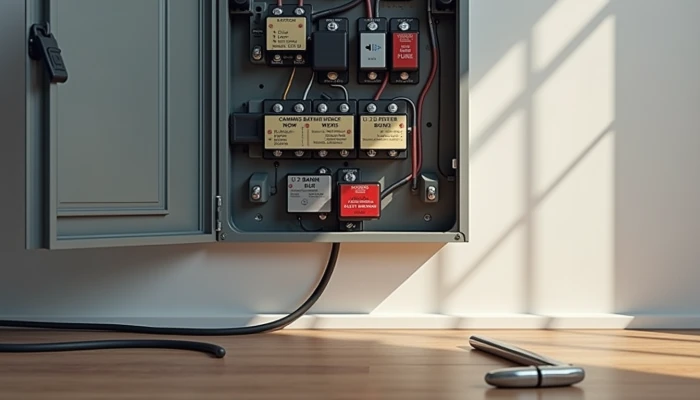
The First-Install Mistakes That Can Undercut a Home Battery System
A home battery system can make outages easier to manage, but the installation details matter as much as the battery itself. A system that is poorly sized, missing key safety components, or mismatched with your home's electrical setup may not deliver the backup power you expect.
For a first-time buyer, the challenge is that many mistakes happen before the battery is ever turned on. They show up during planning, equipment selection, and installation decisions.
This guide walks through four common mistakes to avoid if you're setting up your first home battery backup system. The goal is not to make every home identical. It is to help you ask better questions, avoid preventable problems, and build a setup that fits your actual needs.
Use this quick planning checklist before signing an installation contract.
- List the loads you want backed up during outages.
- Review at least several months of electricity use, including higher-use periods.
- Confirm whether you want whole-home backup or only critical circuits.
- Check compatibility with your panel, inverter, generator, solar, or EV charging equipment.
- Ask what safety components are included, not just the battery capacity.
- Clarify the maintenance plan, monitoring access, and documentation you will receive.
Mistake 1: Underestimating System Sizing Needs
Sizing mistakes are one of the easiest ways to end up disappointed with a battery system. If the system is too small, it may not keep key loads running for as long as you expected during backup power for outages. If it is too large, you may pay for capacity you rarely use.
A good starting point is not the battery brochure. It is your own usage pattern. Installation guidance commonly recommends reviewing historical energy bills, identifying peak demand periods, and estimating which appliances or circuits you want to support. That matters because backup needs are usually driven by a few high-impact loads, not by your monthly total alone.
Think in two layers.
- What must stay on? Examples might include refrigeration, internet, a few lights, medical devices, or a sump pump.
- How long do you need it to last? A short outage plan is different from planning for a longer disruption.
Future changes matter too. If you expect to add an electric vehicle charger, new appliances, or broader electrification later, your installer should discuss whether the system can expand or whether today's design will limit you later.
This simple sizing framework can help organize the conversation.
| Question | Why it matters |
|---|---|
| Which loads are essential? | Prevents paying to back up circuits you do not need |
| What is the peak demand of those loads? | Helps avoid overloads when multiple devices start at once |
| How long do outages usually last for you? | Shapes storage needs more than marketing claims do |
| Will you recharge from grid, solar, or another source? | Affects how useful the battery is over multi-day outages |
| Are you adding new electric loads soon? | Helps avoid buying a system that is outdated too quickly |
If you are considering battery backup without solar, sizing becomes even more important. A battery that recharges only from the grid can still be useful, but during a prolonged outage its runtime depends entirely on stored energy and any approved alternate charging arrangement.
A portable power station may cover a few devices, but a permanently installed battery system usually requires a more careful load analysis. Treat those as different categories, not interchangeable solutions.
Mistake 2: Skipping Essential Safety Components
Safety components are easy to overlook because they are less visible than battery capacity or app features. But they are not optional details. They are part of what makes the system safe to live with.
Grounding is one example repeatedly emphasized in installation safety guidance. Poor grounding can increase the risk of electric shock, equipment damage, and code problems. For outdoor or exposed installations, corrosion-resistant grounding materials are commonly recommended because connection quality can degrade over time.
This is also where readers should be careful about assuming a battery install is just a large appliance swap. A battery system is tied into your home's electrical infrastructure. That means disconnects, overcurrent protection, proper enclosure use, and installation conditions all matter.
Ask your installer to walk you through the safety package, including:
- Grounding and bonding approach
- Required disconnects
- Overcurrent protection
- Environmental protections for the installation location
- Monitoring or battery management safety functions
- Inspection and permit requirements
It is also worth asking what needs periodic inspection after installation. Some safety guidance recommends checking grounding connections annually or after severe weather, especially where equipment is outdoors or moisture exposure is possible.
If an installer talks mostly about battery size and backup hours but is vague about grounding, disconnects, or inspection requirements, that is a warning sign. A safe system is not just a battery on the wall. It is the full installation around it.
Mistake 3: Ignoring Compatibility Checks
A battery system can be well made and still perform poorly if it does not fit the rest of the electrical setup. Compatibility checks should happen early, before equipment is ordered.
The first question is whether the battery can integrate properly with your existing panel, inverter, and service configuration. If you already have solar, generator equipment, or EV charging, the installer should verify how those systems interact rather than assuming they will work together automatically.
Manufacturer guidance and safety agencies both stress system integration, component ratings, and battery management considerations. That includes matching voltage and current requirements and following approved installation methods.
One practical issue that gets missed is wire sizing. Undersized wires can create voltage drop, excess heat, and fire risk. This is not a cosmetic detail. It affects both safety and performance.
Use this compatibility check list during installer conversations.
- Is the battery approved for use with the existing inverter or does it require a different one?
- Will the system back up the whole home or only selected loads?
- Is the main panel suitable as-is, or is a subpanel or service upgrade needed?
- Are all conductors, breakers, and disconnects rated for the system's voltage and current?
- If solar or generator charging is involved, is that integration specifically supported by the manufacturer?
- If EV charging is planned, how will that affect load management and battery runtime?
This is especially important when homeowners compare a fixed battery system with simpler backup options. A portable power station may need very little integration. A permanent home battery backup setup is different because it becomes part of the home's electrical system.
Compatibility is also where unrealistic assumptions often creep in. For example, a battery may support critical loads well but not every large electric load at once. The right question is not "Will it work?" but "What exactly will it support, under what conditions, and with which approved components?"
Mistake 4: Overlooking Long-Term Maintenance Planning
Installation day is not the end of the project. A battery system needs a basic maintenance plan if you want it to stay reliable over time.
That does not necessarily mean constant hands-on service, but it does mean you should know how the system will be monitored, what inspections are recommended, and what signs of trouble should trigger a service call. Practical operating guidance commonly emphasizes regular inspection and monitoring as part of safe battery system use.
At minimum, homeowners should ask for a maintenance handoff that covers:
- Recommended inspection intervals
- What the monitoring app or portal can and cannot tell you
- Who to contact for faults or abnormal behavior
- Expected battery replacement planning based on manufacturer documentation
- Records of installed components, settings, and electrical changes
Documentation matters more than many people expect. If you later add solar, replace an inverter, upgrade your panel, or troubleshoot a fault, clear records save time and reduce confusion.
A simple maintenance log can help.
| Item to track | Why keep it |
|---|---|
| Installation date and contractor | Useful for warranty and service follow-up |
| Model numbers and component list | Helps with future compatibility checks |
| Single-line diagram or circuit notes | Speeds troubleshooting and upgrades |
| Inspection dates | Creates a routine instead of relying on memory |
| Fault alerts or unusual behavior | Helps identify recurring issues early |
If you are planning battery backup without solar, maintenance planning should also include how the system will be recharged and used during repeated outages. Runtime expectations, recharge timing, and load management all affect how practical the system feels in real life.
The goal is not to turn homeowners into technicians. It is to avoid the common pattern where a system is installed, lightly explained, and then forgotten until the next outage reveals a problem.
Conclusion
A first battery installation does not need to be perfect, but it should be deliberate. The biggest avoidable problems usually come from four areas: poor system sizing, missing or unclear safety components, weak compatibility checks, and no plan for long-term upkeep.
If you take anything from this guide, let it be this: ask more questions before the equipment is installed, not after. A battery system should match your home's loads, your outage priorities, and your existing electrical setup.
Professional guidance matters here. A qualified installer should be able to explain the design choices, identify tradeoffs, and show how the system meets manufacturer requirements and safety expectations. That kind of planning does more for long-term value than chasing the biggest battery or the most ambitious backup promise.